
Tel Tags: How One Click-to-Call Link Can Boost Conversions
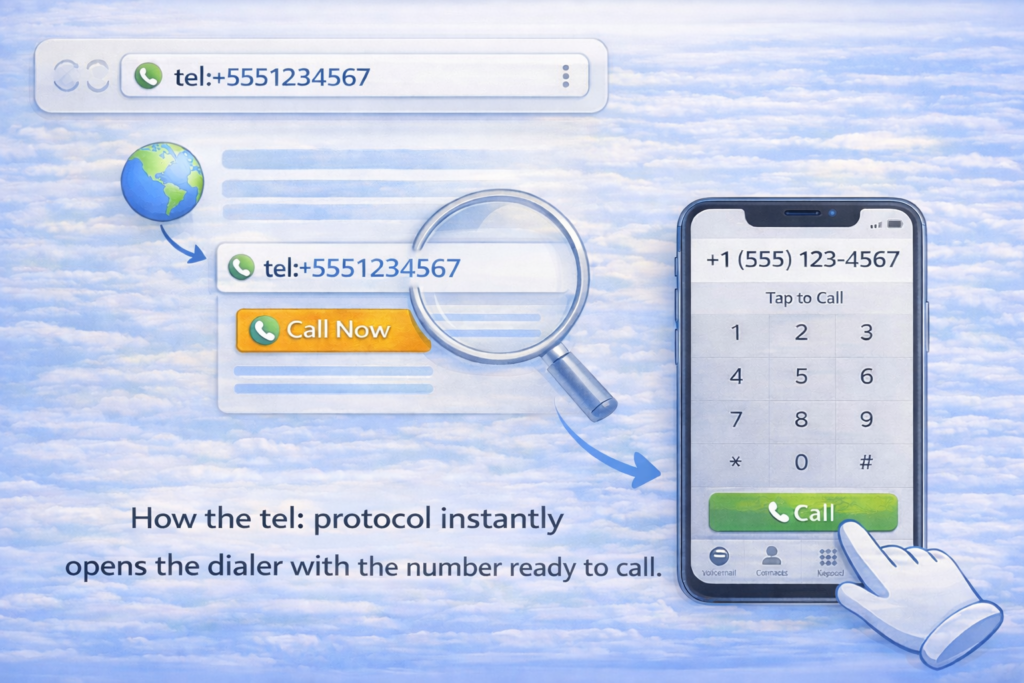
Tel Tags completely changed how I look at website conversions. I still remember the moment it happened. Traffic was steady. Engagement looked decent. But calls? Almost none. The phone number was visible on the website, but it was not clickable. Mobile users had to copy the number, open the dialer, paste it, and then call. Most people simply did not bother. So we fixed one thing. We turned the number into a tap-to-call link. Within days, mobile users started calling directly from the website. No copying. No hesitation. Just one tap and instant connection. That is when it became clear. Tel Tags are not just HTML links. They are conversion triggers. What Are Tel Tags? Tel Tags are HTML links that let users call a phone number directly from a website. Instead of copying a number manually, users tap once, and the call screen opens automatically. Here is what a clean implementation looks like: That single line turns a phone number into an action. Without it, your number is just text. With it, your number becomes interactive. In a mobile-first world, action wins. Why Click to Call Matters More Than Ever Today, most people browse websites on their phones. Google also uses mobile-first indexing, which means it primarily evaluates your mobile version for ranking and usability. So ask yourself a simple question. If a visitor is ready to contact you, how easy are you making it? If calling feels difficult, users leave. Click-to-call functionality removes friction and makes the next step effortless. A visitor does not need to think. They simply tap. This is exactly why Tel Tags can directly influence conversions, especially for service-based businesses. How Tel Tags Work Behind the Scenes Behind the scenes, Tel Tags use the tel: protocol. When a user taps the link, the browser recognizes it as a phone action. The dialer opens automatically, and the number appears pre-filled. The user only confirms the call. There are no apps to search for and no steps to remember. Search engines also understand this protocol. It does not break crawling, and it does not create indexing issues. Proper formatting is what makes it work smoothly across devices. How Click-to-Call Links Behave on Different Devices These links do not behave the same everywhere. People should understand the differences. Mobile Devices This is where Tel Tags shine the most. One tap opens the dialer instantly. Most service conversions happen on mobile because the user is already in action mode. Desktop Browsers On desktops, click-to-call links may open calling applications such as Skype or FaceTime, or the browser may show a prompt. If no calling app exists, nothing may happen. That is why click-to-call is mainly a mobile conversion feature. Tablets and Hybrid Devices Tablets behave like phones when calling is supported. Otherwise, they may redirect users to internet calling tools. Responsive layouts and clear placement matter here. Understanding how click-to-call behaves across devices helps you implement it strategically, so you optimize for real user behavior instead of assuming the same experience everywhere.
How to Fix Grammatical Mistakes in Marketing Content?

Taking care of grammatical mistakes is a must in marketing content. This form of writing involves getting attached to the audience. But the readers won’t feel the engagement if the work isn’t flawless. Grammar is often the most neglected part of a copy; however, it solely possesses the power to make or break a deal. The readability that a clean grammatical structure brings to a work makes it resonate with people’s minds, compelling them towards your business. So, it’s necessary to realize the common grammar mistakes that occur in marketing content and deeply analyze your work to fix them.